


Close your eyes (well, after reading this). Picture your school building—hallways freshly painted, classrooms sparkling, bulletin boards ready for fall. But wait, what about your website? While your campus gets its summer makeover, your digital presence deserves its moment too.
Updating your website now can save everyone headaches come the school year rush. It’s like giving your website a spa treatment: refreshing the navigation, speeding up load times, and cleaning up content so visitors stay and explore, not bounce. Ready to dive into eight fun, actionable ways to give your site that sleek back‑to‑school glow-up?

1. Navigation That Says “Guided Tour,” Not “Labyrinth.”
Let’s face it, visitors don’t want a treasure hunt; they want answers fast.
- Stick to 6–8 top-level menu items. Too much choice sparks confusion. Think: Admissions, Calendar, Contact, etc.
- Add a utility nav. Quick‑links for “Parent Portal,” “Calendar,” or “Staff Directory” can sit at the very top or header.
- Make the search impossible to miss. If families can’t find the search bar, they’ll bail.
Pro Tip: Do a quick user test—ask someone to find lunch menus or school supply lists. If they stumble, it’s time to simplify.

2. Polish Up Navigation with Clarity and Ease
Navigation polish is more than tidy menus. It’s language that clicks.
- Use plain-talk labels. Avoid jargon like “Educational Pathways.” Use “ Academics” or “Grades & Classes.”
- Check mobile menus. Remember: the menu that looks great on desktop might turn into a confusing accordion on mobile. Simplify for thumb-friendly taps.
- Test breadcrumb chains. Can someone navigate back easily? If not, that’s a roadblock to smooth browsing.

3. Content Cleanup: Swish, Swipe, Sparkle
Outdated content is like leaving last year’s sandwiches in the hallway—nobody wants it.
- Clear old announcements. Remove news items from last spring and earlier. Fresh? Yes. Clutter? Nope.
- Refresh key pages. Calendar, forms, staff directories, supply lists, handbooks; update them all.
- Streamline your News page. Use it for community highlights, not daily lunch updates. Keep it engaging.

4. Speed Matters: Because No One Has Time to Wait
Fast websites = happy users. Here’s how to hit turbo mode:
- Run speed tests using PageSpeed Insights or GTmetrix to identify slowdowns.
- Resize and compress images. Great photos are essential, just don’t let them clog up load times.
- Minimize bulky scripts. Excess JavaScript slows pages. Trim unused code where you can.
Download Our FREE eBook: How to Create an Exceptional School Website
5. Streamlined Content: Clear, Concise, Compelling
The ability to navigate quickly is only as good as what visitors find.
- Audit your top pages: home, admissions, contact. Is the info current? Clear? Useful?
- Swap paragraphs for lists. Bullets = easier reads, especially on mobile.
- Write from your audience’s view. Use action verbs and student or parent perspectives. (“Explore our campus” > “Campus overview”).
6. Fresh Visuals = Fresh Feeling
A little facelift makes a big difference.
- Update galleries and hero images with recent events. Old stock photos? Out. Real student life? In.
- Add meaningful captions. Captions are often read more than paragraphs—make them count.
- Avoid image overload. Too many images slow your site. Be selective, but meaningful.
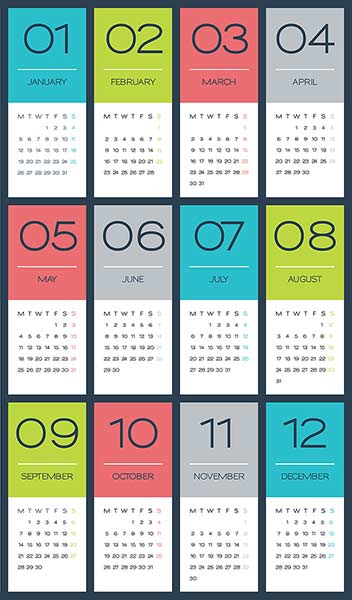
7. Calendar & Forms: Your School’s “To-Do” Landing Pages
Your community relies on these.
- Fully populate the new school year calendar. Include early-release days, assemblies, holidays—even if dates are tentative.
- Forms front and center. School supply lists, handbook, immunization & registration forms should be easily accessible.
- Link logically. Less clicks = less confusion. Provide direct download access when possible.

8. Run a Quality-Control Checklist (Even If You’re Short on Time)
No website is set-and-forget. Treat it like your home—it benefits from regular upkeep.
- Do a quarterly “sparkle check.” Zoom through the pages to ensure there are no broken links, outdated content, or missing info.
- Get feedback. Ask two people—one parent and one staffer—to share anything that’s confusing or missing.
- Make a maintenance schedule. Even 15 minutes a week keeps your site sharp.
Wrap-Up: Why This Tune-Up Is Totally Worth It
You’re giving your website the VIP treatment. Here’s what that looks like in action:
- A navigation that whispers “I’ve got you,” not “good luck.”
- A speed that zips straight through the back-to-school frenzy.
- Content that feels fresh, informative, and ready to guide your community.
- A polished vibe that conveys care, competence, and connection.
Consider this your website’s summer spa. The sooner you start, the fresher your digital first impression will be. But, of course, if you need some help, you know School Webmasters is here for you. Contact Jim at 888-750-4556 or Request a Quote and let Jim show you how you can have the experts work behind the scenes to keep your school website looking its best!