


When families are exploring school options, they aren’t just scanning report cards or curriculum charts—they’re searching for connection. They want to see joy, safety, pride, learning, and community in action. And nothing brings that to life better than video.
The good news? You don’t need a film crew, fancy lighting, or a drone (although hey, drones are cool). With the camera in your pocket and a little creative planning, you can turn your school into the star of its own highlight reel, attracting new families and building trust with the ones you already have.
Let’s dive into how to create compelling school videos that increase enrollment, without draining your budget.
Why Video Works for Schools
- Emotion drives decisions. Parents choose schools based on how they feel about the environment as much as the academics.
- Video shows what words can’t. Smiles, engaged classrooms, student projects, and community spirit. These make a bigger impression than any brochure.
- Mobile-first matters. Most people check out your school on their phones, and video is the most engaging content on mobile devices.
Bottom line? A two-minute video can build more trust than ten pages of text.
What Kind of Videos Should Schools Make?
Here are creative (and low-cost!) video ideas that highlight the heart of your school and resonate with prospective families.

1. “A Day in the Life” Walkthroughs
Create short, documentary-style videos that follow:
- A kindergartner through her first day
- A middle schooler’s STEM projects
- A high schooler balancing AP classes and art club
Tip: Use a GoPro-style view, or have the student narrate. Parents love seeing what their child’s day might look like.

2. Teacher Introductions
Spotlight your amazing teachers with 30–60 second clips:
- What they love about teaching
- Their favorite classroom activity
- Why they chose your school
Tip: Keep it casual. Filming in the classroom, with natural lighting and authentic energy, beats a stiff formal setup.

3. Student Spotlight Stories
Interview students about:
- A project they’re proud of
- What makes their school feel like home
- How a teacher helped them grow
Tip: Use lower thirds (text captions) with the student’s name and grade for a polished look.
4. Parent Testimonials
Invite a few happy parents to share:
- Why they chose your school
- What changed their minds
- What their kids talk about at the dinner table
Tip: Film in a quiet, well-lit spot. Encourage authenticity over perfection.

5. Clubs, Sports & Electives in Action
Capture highlights from:
- Robotics competitions
- Theatre rehearsals
- Spirit rallies
- Chess club or esports teams
Tip: Use background music to add energy and caption key scenes for viewers watching with sound off.
6. School Tour Series
Break down your school into short “tour” segments:
- Welcome/Front Office
- Library/Media Center
- Playground and Cafeteria
- Special Classrooms (STEM lab, Music Room, etc.)
Tip: Add narration or text to guide viewers and highlight what makes each space special.
7. Behind-the-Scenes with Admin
Let parents meet your principal, counselor, or registrar through video:
- Share how enrollment works
- Offer tips for first-time families
- Talk about school values and culture
Tip: Keep tone warm, welcoming, and informative—think of it as a virtual handshake.
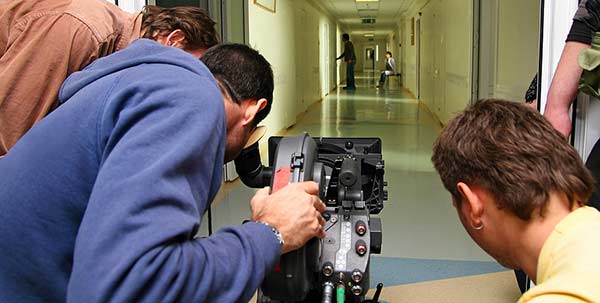
8. Student-Created Videos
Let your student council, AV club, or media class take the reins.
- School announcements with flair
- Student-hosted “news shows”
- Social media reels with music and trends
Tip: Give them guidance, but let them shine. Peer-created content speaks volumes to prospective students.
Budget-Friendly Tips for Better Videos
Even without a professional setup, your school videos can look sharp and feel meaningful with these best practices:
Use What You Have
- Smartphones are powerful enough. Just shoot in horizontal format for YouTube or your website.
- Tripods or stabilizers keep things steady (cheap options on Amazon or ask your yearbook advisor!).
- Free editing apps like CapCut, InShot, or Canva (yes, Canva has video tools!) are intuitive and school-friendly.
Focus on Sound
- Use quiet spaces for interviews.
- If you’re recording voice, consider an inexpensive clip-on mic (under $20).
- Add subtitles for accessibility, and to catch viewers scrolling without sound.
Choose Good Lighting
- Natural daylight near windows is your best friend.
- Avoid harsh overhead lights and backlit scenes.
- If filming outside, go for morning or late afternoon for soft, flattering light.
Keep It Short
- Ideal length: 60–90 seconds
- Max length for parent attention: 2–3 minutes
- For social media: under 60 seconds is golden
Repurpose & Reuse
- Post short clips on Instagram and Facebook
- Combine multiple clips into a longer “About Our School” video
- Use snippets in email newsletters, open house presentations, or on your homepage
Bonus: Make a Video Plan, Not a One-Off
Instead of one big video project, think in terms of an ongoing video content calendar. For example:
| Month | Video Idea |
| August | Welcome back + Principal greeting |
| September | Day in the life of a kindergartner |
| October | Fall festival or sports highlight reel |
| November | Parent testimonial |
| December | Winter concert snippet |
You’ll build a library of content over time, and families will start to see your school as a vibrant, connected, and authentic community.
Ready to Get Started?
You don’t need fancy equipment or a film degree to tell your school’s story. You already have everything you need: great people, meaningful programs, and powerful moments happening every single day. So grab your phone, capture that joy, and let your videos invite new families to join your community. Because when they see what you’re all about, they’ll want to be a part of it.
Also, if you need a website to help you improve your communication and attract more students, give School Webmasters a call at 888-750-4556 and ask for Jim! We do the behind-the-scenes work to help your school shine (while your staff focuses on their educational goals).
Check out these other helpful articles on improving your school communications and public relations: